See It
One workspace per market
A workspace is a grid of filtered news columns and live charts. Build one for each market you follow, then switch between them in a click. These are five ready made desks that ship by default.
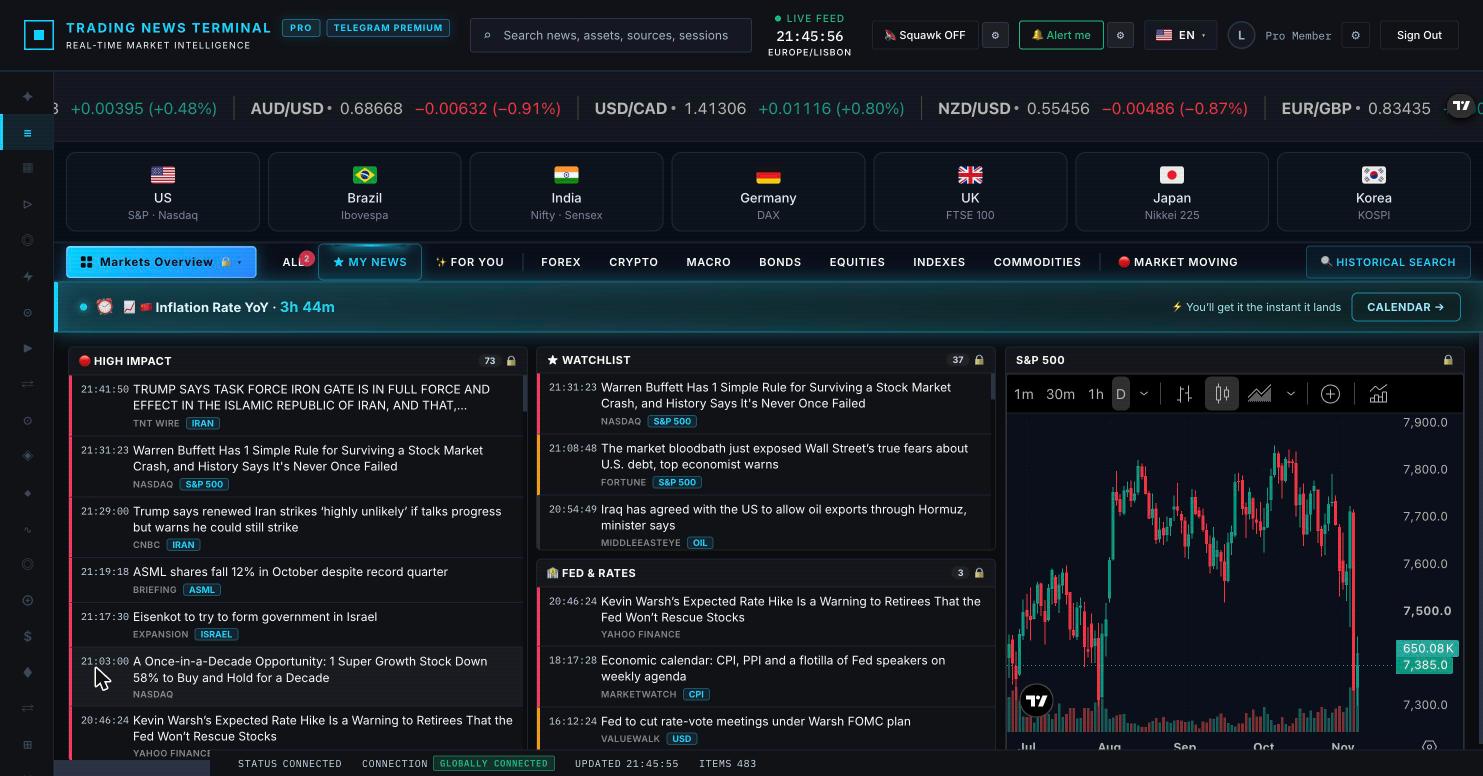
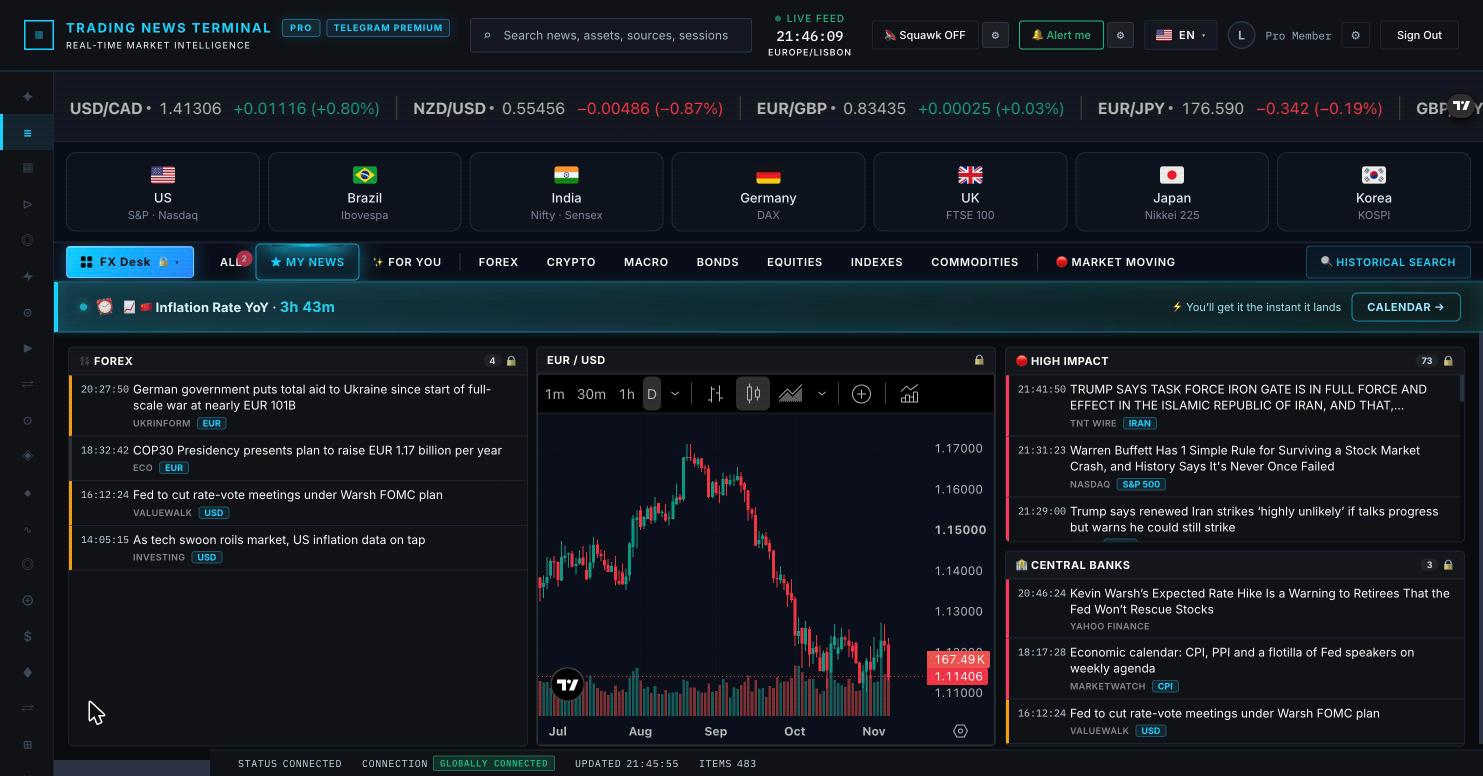
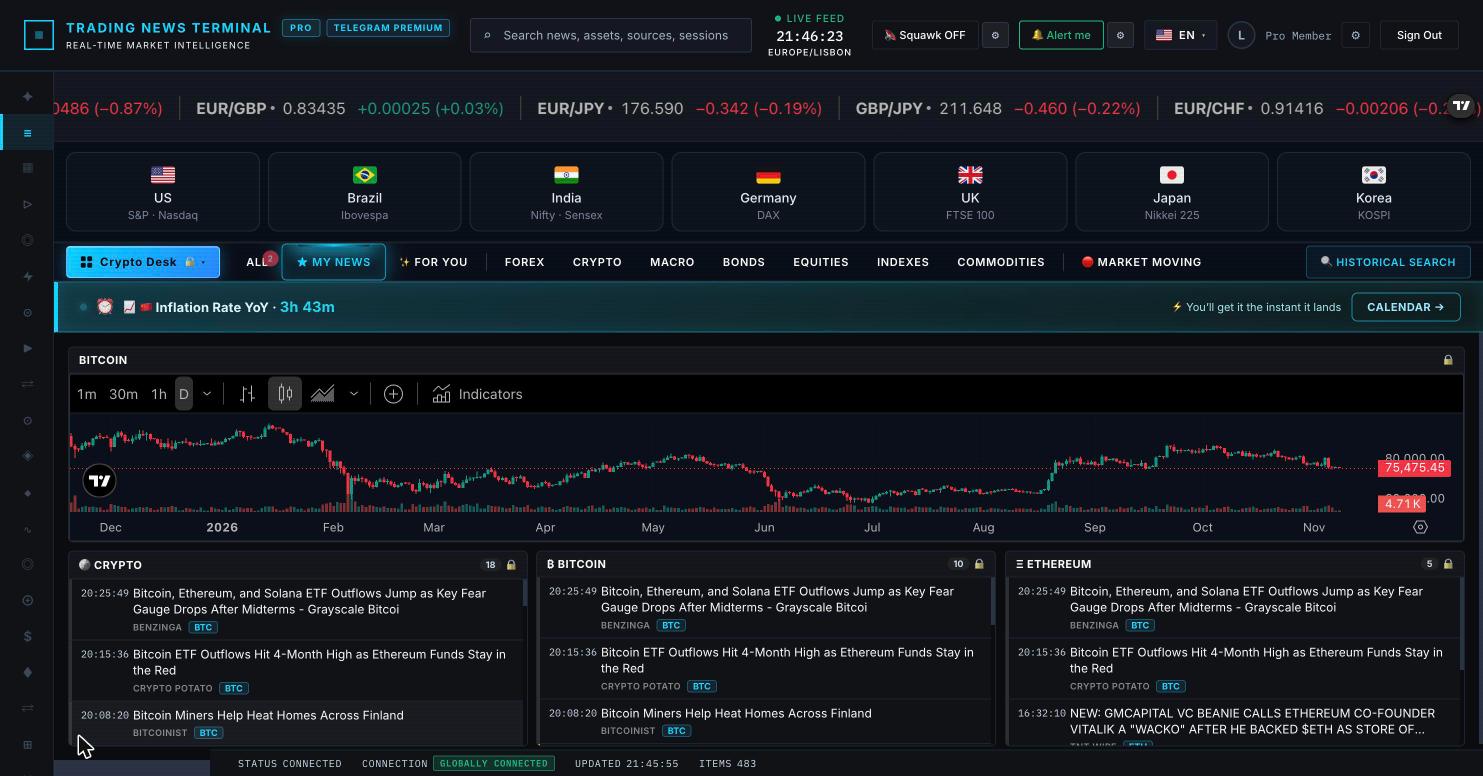
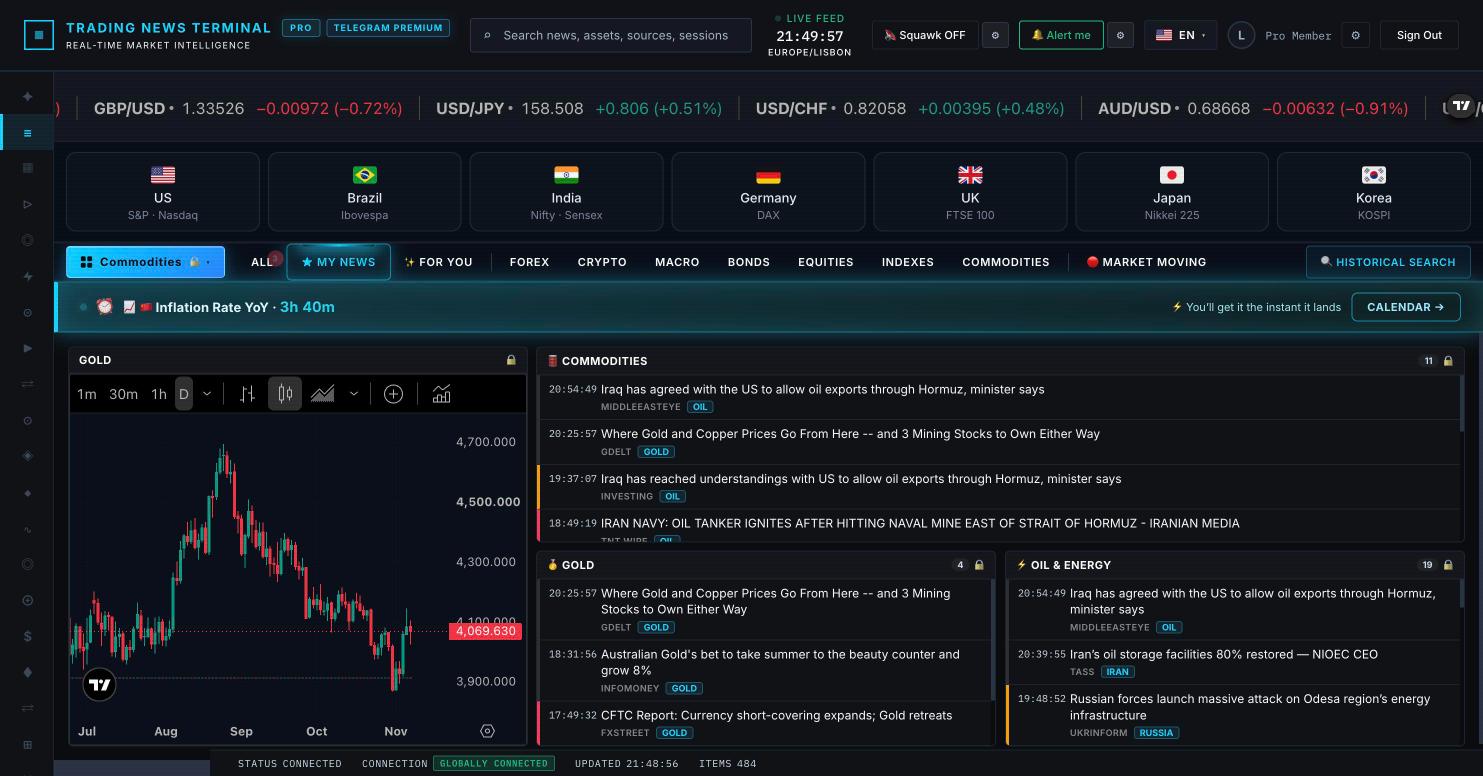
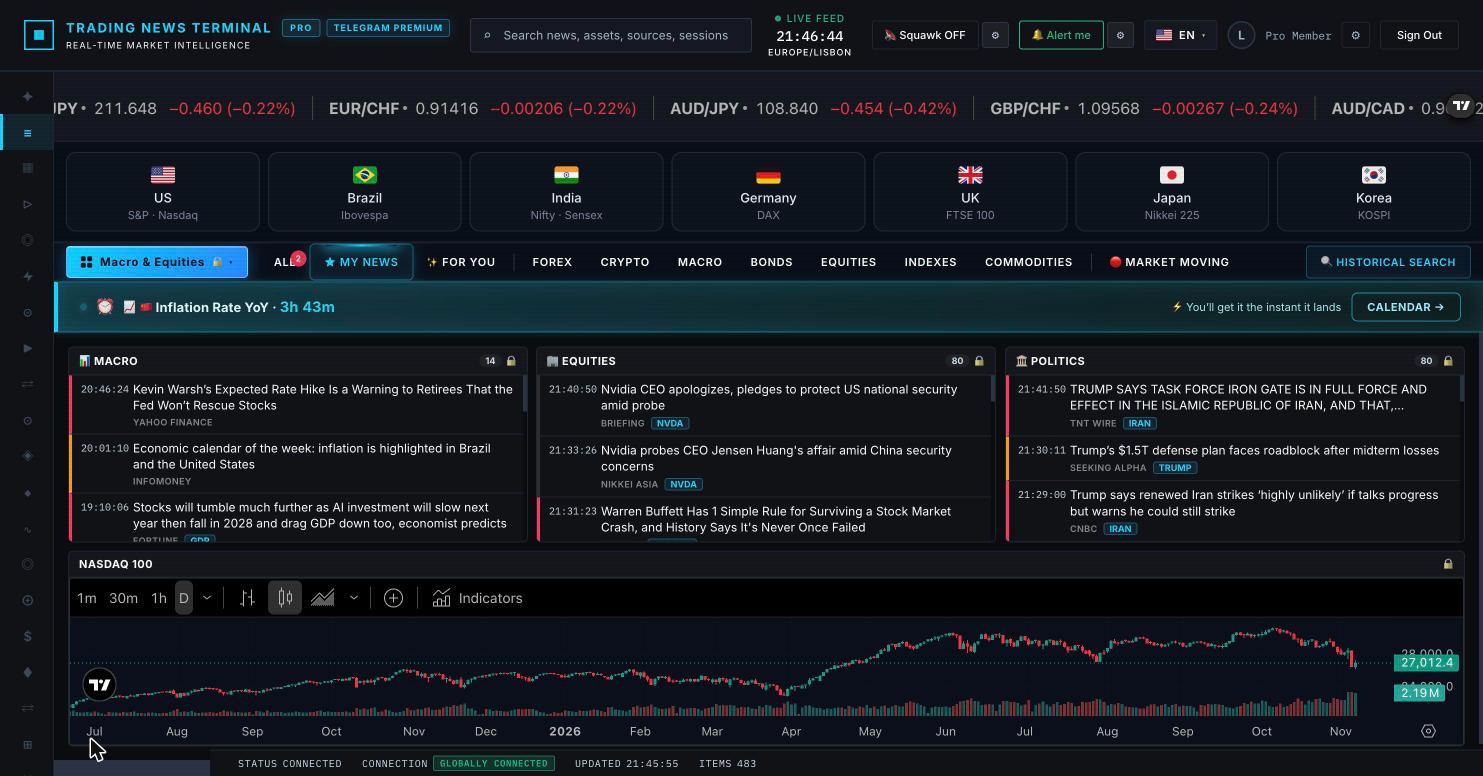
Turn the feed into a layout you control. Pick the exact news columns you want, drop live charts beside them, and save a workspace for forex, crypto, commodities or macro. Switch between them in one click.
Basic plan is permanently free · Workspace is a Pro feature · Pro at €40/month
A workspace is a grid of filtered news columns and live charts. Build one for each market you follow, then switch between them in a click. These are five ready made desks that ship by default.
Each column is filtered on its own: gold only, politics only, high impact only, a single ticker or your watchlist. Build the exact mix you trade.
Drop live TradingView charts into the layout and change the symbol inline, no relaunch. See the catalyst and the candles in one view.
Save a workspace for every market you follow and load it in one click. Markets Overview, FX, Crypto, Commodities, Macro, each kept separate.
Drag, resize and stack widgets freely. When the layout fits, lock it so it stays put while you trade.
A standard news feed is one scrolling list. During a busy session you are constantly scrolling, re-filtering and losing context. A workspace puts several filtered views on screen at once, so the news that matters to your book is always visible without a single click. You stop hunting for headlines and start reacting to them.
Traders rarely watch everything at the same intensity. With saved workspaces you keep a dedicated desk per market and load the right one in a click. A Markets Overview for the open, an FX Desk with forex news and central bank headlines next to EUR/USD, a Crypto Desk with Bitcoin and Ethereum columns, a Commodities desk with gold and oil, and a Macro desk with equities and politics next to the Nasdaq. Each desk remembers its own columns, charts and sizes.
Every column is independent. Filter by asset (gold, oil, Bitcoin, a single ticker), by topic (central banks, energy, politics), by impact (high impact only), by source, or pin your watchlist. A forex trader does not need Chinese PMI unless they trade AUD, so they simply do not add that column. The result is a feed with zero noise.
A workspace mixes news columns and live TradingView charts in the same grid. When a headline breaks you see the candle form beside it, no tab switching. You can change a chart symbol inline, without relaunching the column, so one chart panel can follow the asset you are reading about.
Arrange widgets by dragging and resizing, stack them, and let the layout fill the screen. Save it with a name, and it appears in your workspace menu for one click loading. Lock it when it is set so nothing moves while you trade. The workspace is part of the Pro plan; the Basic plan is free forever and already includes the live news feed, economic calendar and TradingView charts.
A workspace is a custom layout of the news feed. Instead of one scrolling list, you build columns, each filtered the way you want (by asset, topic, impact, source or your watchlist), and place live charts beside them. You save a workspace for every market you follow and switch between them in one click.
The custom workspace is part of the Pro plan. The Basic plan is free forever and includes the live news feed, economic calendar and TradingView charts. Pro adds the multi-column workspace, zero delay news, squawk audio and live TV.
Yes. You can save as many workspaces as you want, for example a Markets Overview, an FX Desk, a Crypto Desk, a Commodities desk and a Macro desk. Each one keeps its own columns, charts and layout, and loads in one click.
Yes. A workspace mixes news columns and live TradingView charts freely. You can change a chart symbol inline without relaunching the column, and arrange everything by dragging and resizing the widgets.
A normal feed is a single list you scroll. A workspace is a grid you control: several filtered columns at once, charts beside the news, saved layouts per market, and a locked view once it is set. It turns passive reading into a focused trading cockpit.
Written and reviewed by the founder, an active trader who uses this workspace daily. Features described here are live in the product. How we measure ↗ · About ↗